How product mapping works
What gets remembered, exactly when, and why confirming a suggested match matters.
Where it is: Mappings →
about 5 minUpdated October 14, 2026
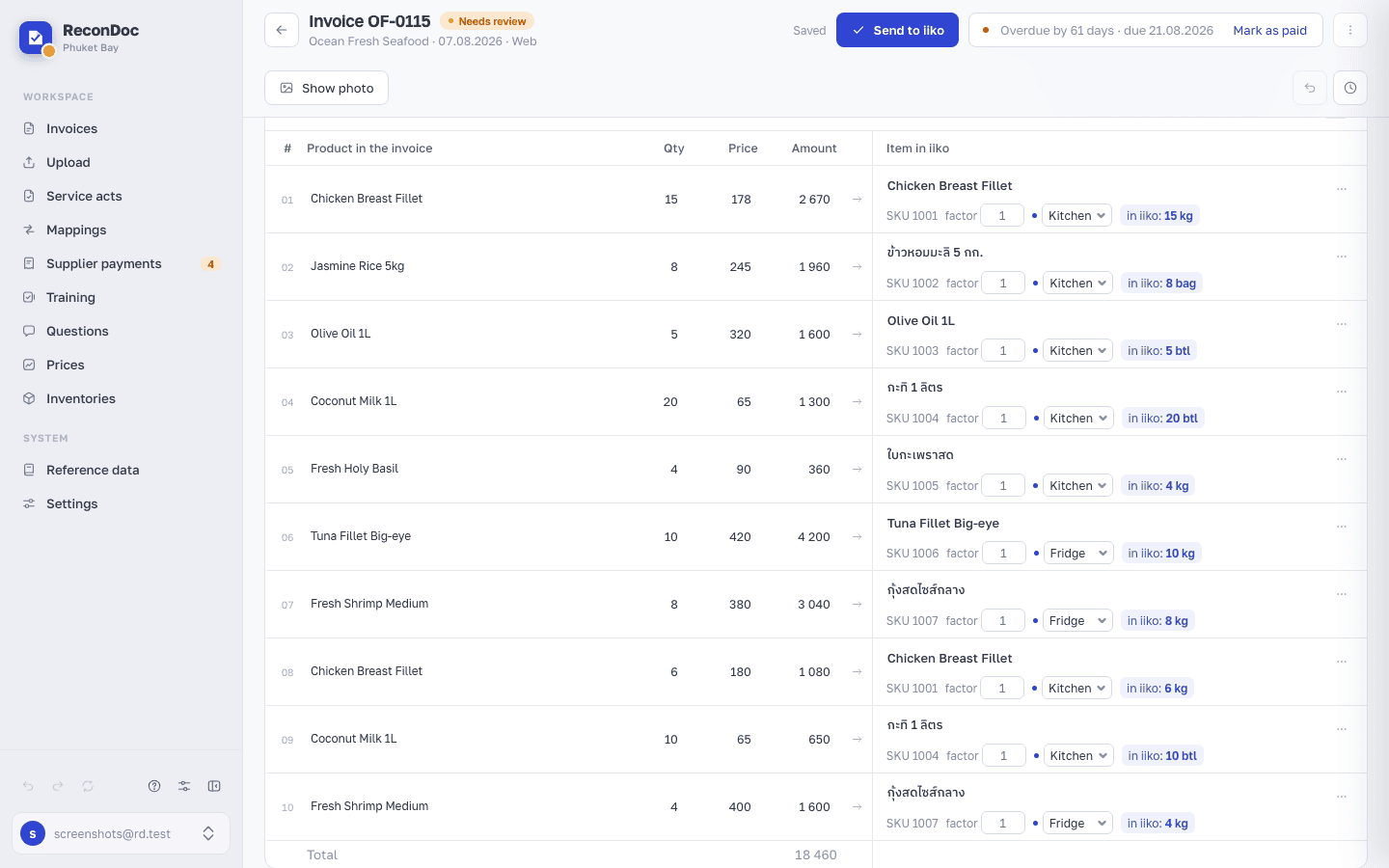
A mapping is a remembered link: "supplier's line → your product in iiko." That's the whole point of the service — show it once, and it fills itself in from then on.
How the service looks for a product#
Once an invoice is recognized, its lines go through several steps in order:
- By barcode or SKU — the most reliable path, works instantly.
- By exact name — if this line has already been linked for this supplier before.
- By similar name — an approximate search. These lines get marked as suggested rather than filled in silently.
- By meaning — the remaining lines are shown to a language model once, together with your catalog. A confident answer gets filled in with a mark; an unsure one becomes a candidate.
What gets remembered, and what doesn't#
Remembered
- A product you picked by hand
- A suggested match you confirmed
- A store, if you chose one on the line
- A conversion factor, if you set one
Not remembered
- A suggested match you didn't confirm
- A match-by-meaning you didn't confirm
- A line whose SKU shows up on different products
This is deliberate. If the service learned from its own guesses, one mistake would stick forever and get copied onto every invoice after it. So only what a person confirmed goes into the mappings.
Important
A match on a line isn't a mapping yet. It only becomes one once you send the invoice — the What will be learned block in the send dialog shows the line with a Remember toggle.
What goes into the mappings when you send#
You don't have to go through suggested lines one by one: in the send dialog, under What will be learned, every suggested line already has its Remember toggle switched on — sending the invoice moves all of them into the mappings at once.
Careful
Turn the toggle off for any line you're not sure about. It's on by default, and skimming past a line without checking it risks locking in a wrong match — it will then repeat on every future invoice from that supplier.
Where to review and fix#
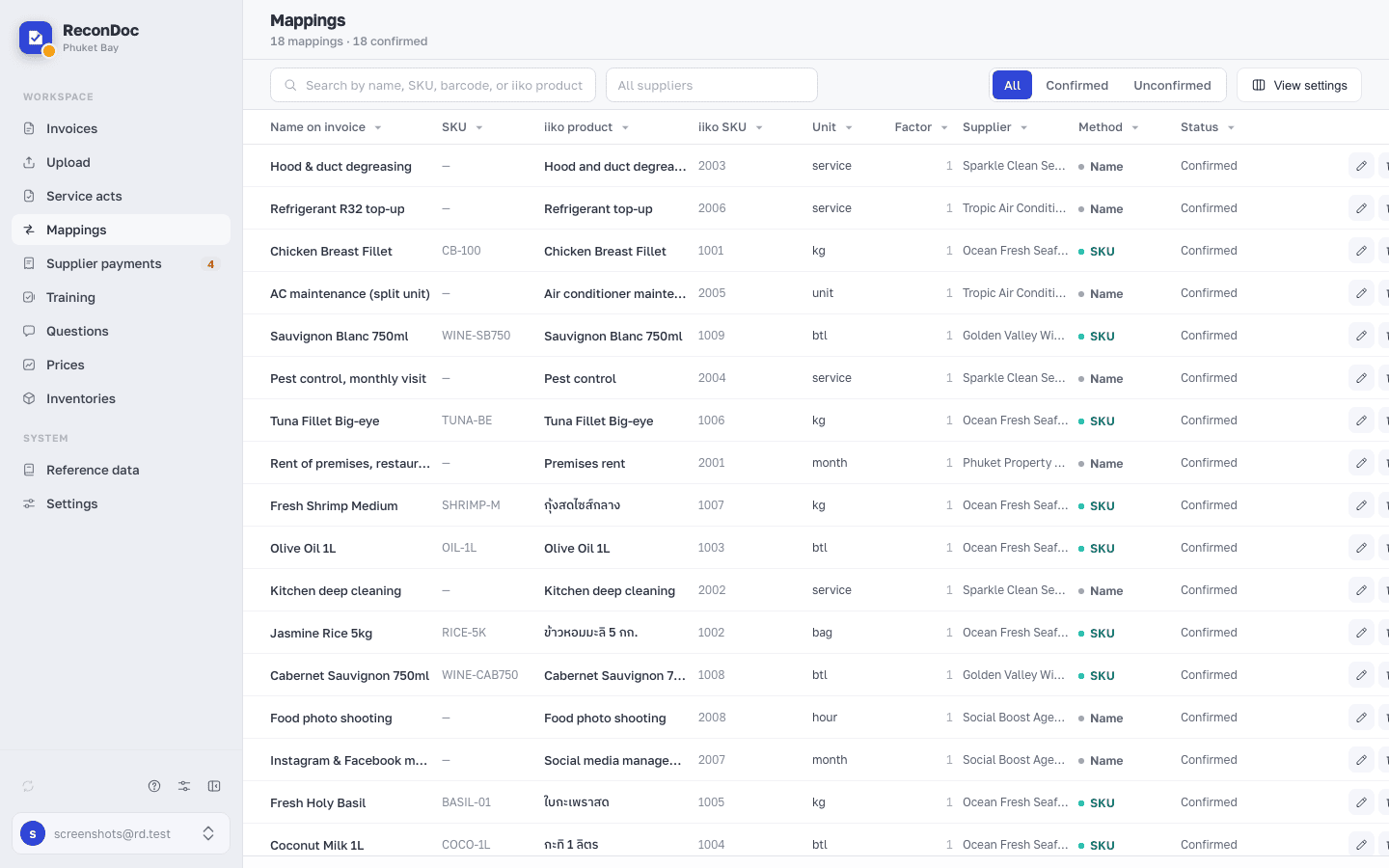
The Mappings section lists everything you've built up, with filters and search. You can also edit the SKU there and delete a wrong link.
Tip
Linked the wrong product and already saved it? Open any invoice from that supplier, pick the right product on the line — the mapping gets overwritten. Or delete it in the Mappings section.
Done. What's next?#
There's one thing that breaks mappings more than anything else, and it looks like the service is broken when it isn't — the invoice's supplier.
What's next
Didn't find the answer, or the guide didn't help?
Ask support