Training by reference: a hundred mappings in ten minutes
The fastest way to train the service is to show it an invoice you've already entered in iiko by hand.
Where it is: Training from a reference invoice →
about 6 minUpdated October 4, 2026
If you wait for mappings to build up on their own, it takes weeks. There's a faster way: take an invoice that's already entered in iiko, and show it to the service along with the document number.
The service reads the photo, pulls the finished document from iiko, matches the lines against each other — and creates all the mappings at once.
What you'll need#
- A photo or PDF of an invoice already posted or entered in iiko.
- That document's number in iiko.
Tip
Pick a bigger document, from your busiest supplier. One hundred-line invoice gets you further than ten small ones.
How it's done#
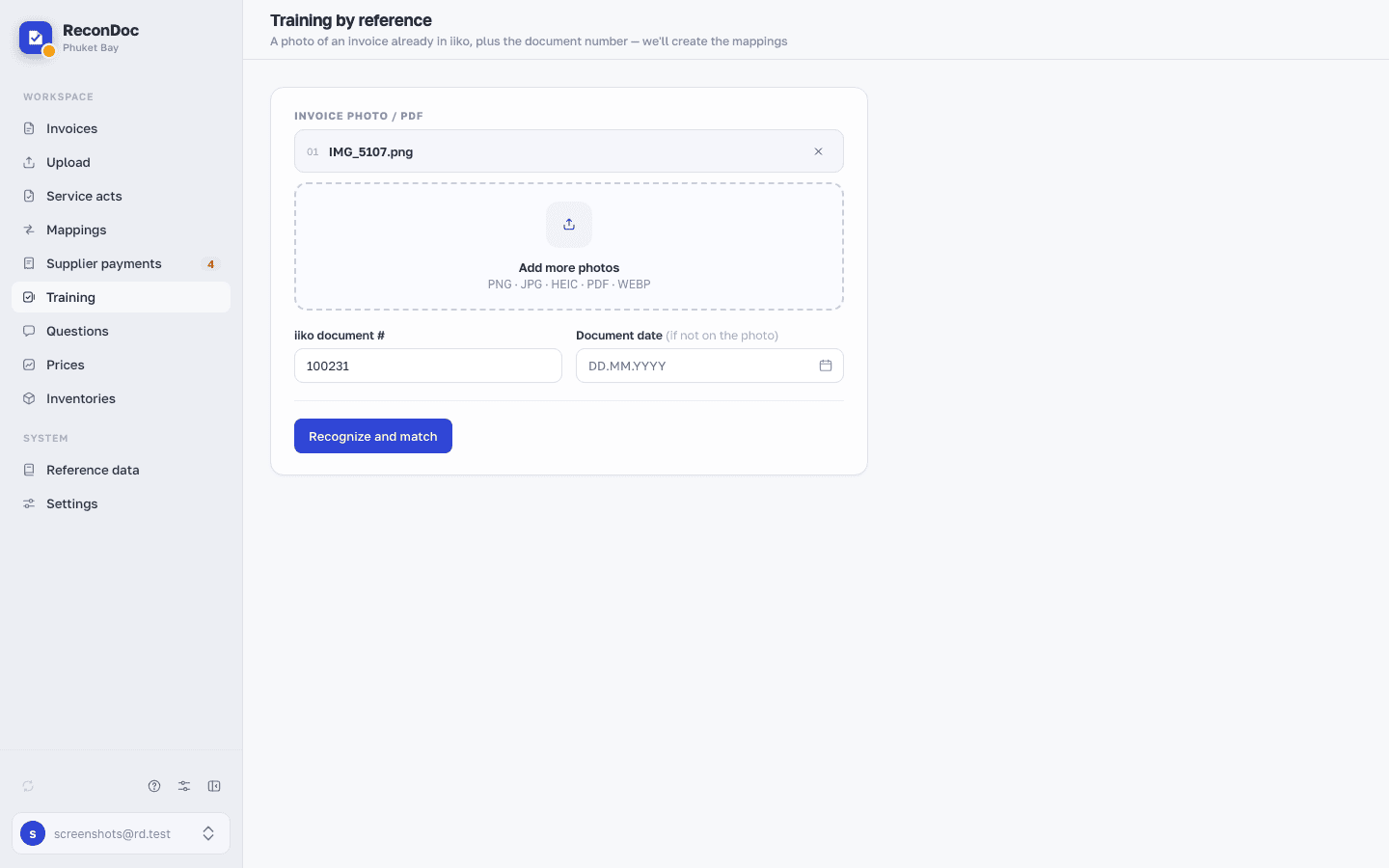
- Open the Training section.
- Upload the invoice photo and enter the iiko document number.
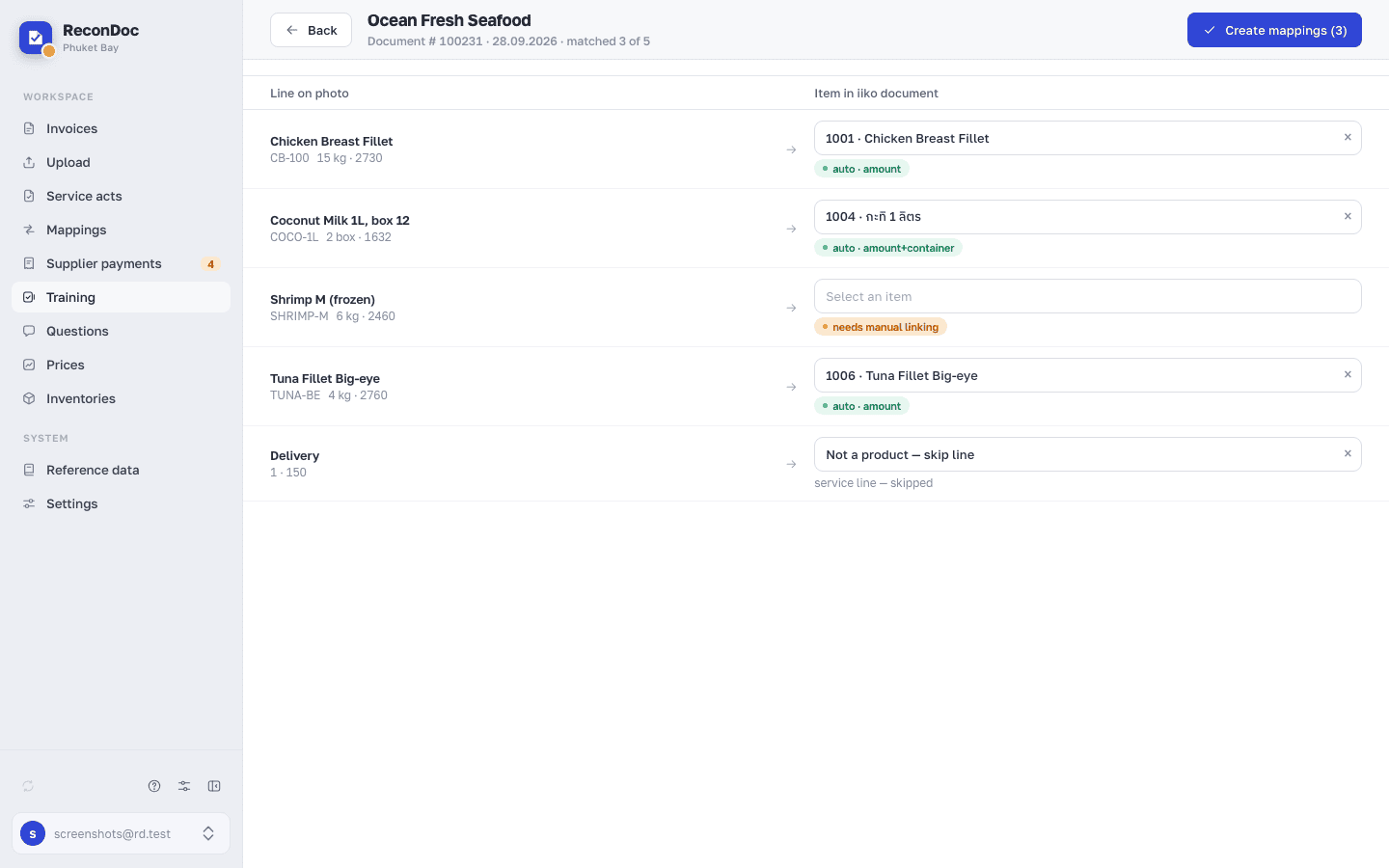
- The service recognizes the photo and pulls in the document's items. The lines line up in pairs: recognized on the left, what's actually in iiko on the right.
- Check the pairs. Leave matches as they are, fix disputed ones, uncheck the extras.
- Click Create mappings. Every checked pair goes into the mappings.
Important
The service works out the container and conversion factor itself, from the iiko document: if it's a case there, and the invoice has one line for 24 bottles, the ratio gets calculated without you doing anything.
What doesn't happen#
Careful
Nothing gets sent to iiko. Training only reads the finished document — no new invoices get created, and existing ones don't change.
How to tell it worked#
Upload the next invoice from the same supplier. The lines that training touched fill themselves in, without a "suggested" mark — that's a finished mapping.
A similar scenario: linking to a document already entered#
Sometimes it's the other way around: an invoice was entered in iiko by hand, but in ReconDoc it's sitting unrecognized or with empty lines. In that case, the invoice card has an action that replaces the lines with the document's items from iiko and links the two cards together. Nothing goes to iiko here either.
Done. What's next?#
Trained — next comes the daily routine: check it and send it.
What's next
Didn't find the answer, or the guide didn't help?
Ask support