Mappings
The Mappings section: search and filter your saved matches, and what the method and status of each row mean.
about 3 minUpdated September 15, 2026
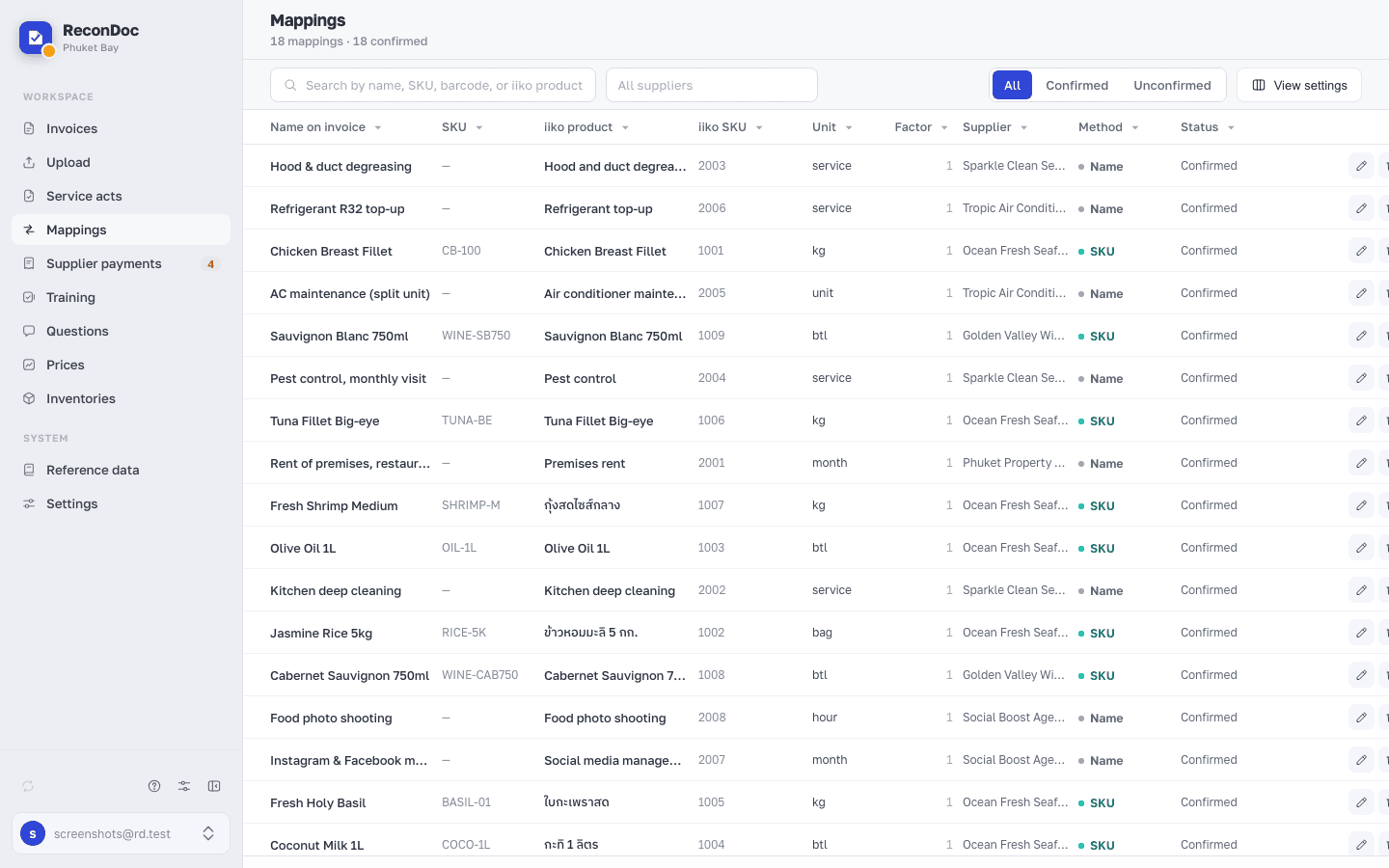
Mappings is every saved match between the lines of your suppliers' invoices and the products in iiko / Syrve, in a single list: you can search it, narrow it to one supplier, correct an SKU or delete a wrong link. How the service picks a match for a new line is covered in How product mapping works.
The screen#
 123456
- Section heading — how many matches there are in total, how many are confirmed, and how many are unconfirmed. Zero counters are not shown.
- Search — searches the name in the invoice, the supplier's SKU, the barcode and the iiko product name.
- Supplier — narrows the list to the matches of one supplier; empty shows them all.
- The table — the name and the SKU from the supplier's invoice on the left; the iiko product, its SKU, unit and container factor on the right; then the supplier and the method. Clicking a column heading sorts and filters by it.
- Method — the sign the service used to find this product: barcode, SKU or name; what each one means and how far you can trust it is in the next section.
- Status — Confirmed or Unconfirmed; next to it a pencil to correct the SKU or the product, and a bin to delete the match; an unconfirmed row also gets a tick — confirm it right there, without opening the invoice.
The matching method#
The Method column shows the sign the service used to find the product for a line — and at the same time how far you can trust that match on the next invoice from the same supplier.
| Method | What it means | How reliable |
|---|---|---|
| Barcode | The line has a barcode, and it matched a product in iiko. | The most reliable — a barcode is unique to a product. |
| SKU | The supplier's SKU matched the one saved for this product. | Reliable within one supplier — at another supplier the same SKU can mean a different product. |
| Name | The product was picked by the name from the invoice — an exact or a similar match, or a match by meaning. | The weakest — the recognized text can differ from one invoice to the next. |
Done. Where next?#
You can't create a match from scratch in this list — one appears only after an invoice with the chosen product has been sent. A mistake can be fixed in two ways: here, with the pencil or the bin, or in the invoice itself — pick the right product for the line, and the match is overwritten.
What you do here
What's next
Didn't find the answer, or the guide didn't help?
Ask support