Settings: team members
The Team members screen: invitations by email, roles, store access and support access.
about 2 minUpdated October 17, 2026
The Team members screen opens from the side menu (Settings, the Connection & access group) and shows everyone who works at this restaurant. Only a restaurant administrator sees it — operators and observers have no Team members item in the menu (nor Subscription & billing). The plan and billing are on the neighboring Subscription & billing tab.
The screen#
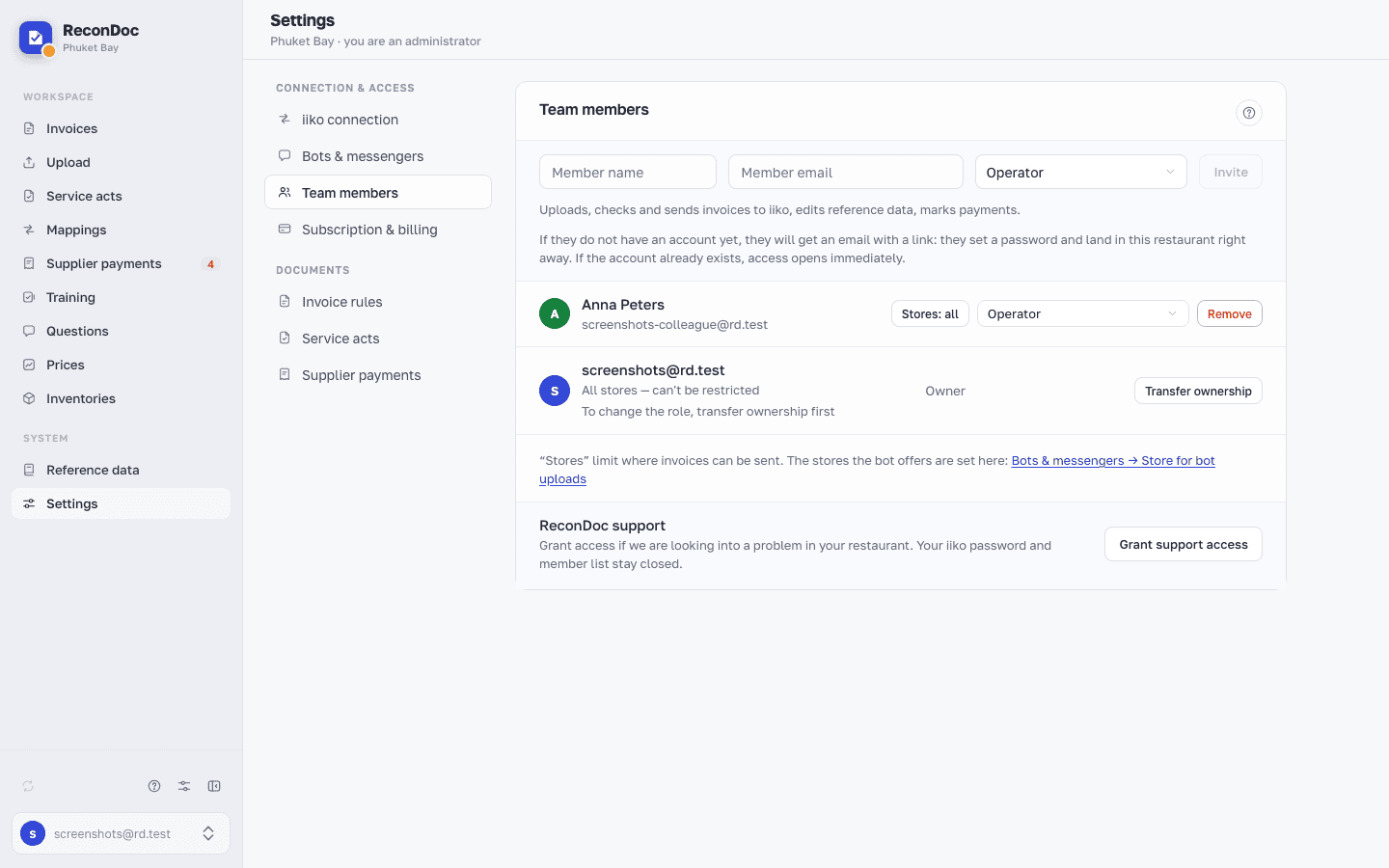
- Invite — the invitee's name, email and role. Under the role field it says what the chosen role can do, and below that how the invitation works: someone who already has an account gets access straight away, someone without one receives a letter with a link.
- Team members — the list of people working in this restaurant. A role is picked from a dropdown in the person's row: each option has two lines, the name and a description of what the role can do. The separate "What each role can do" cards are no longer on the screen.
Below the list, one under another, come these rows:
- stores: Stores in a member's row limit which stores invoices can be sent to, while the stores the bot offers are set on the Bots & messengers tab (there is a link in the row);
- Invitations — invitations waiting for a reply, with the link's expiry (7 days) and the Resend and Revoke buttons;
- ReconDoc support — support access is granted while we're looking into an issue and revoked once it's no longer needed; the full list of what we will see and what we can do is in the confirmation window.
Changing a role (other than promoting to administrator) takes no confirmation, but shows a short Role changed message. If the member list fails to load, the screen shows a load error with a Retry button instead of "Nobody here yet".
Done. Where next?#
What roles exist and what each one sees is in Team: who to invite, and what they'll see. What support can and can't see is in ReconDoc support access.
What you do here
What's next
Didn't find the answer, or the guide didn't help?
Ask support