Reference data
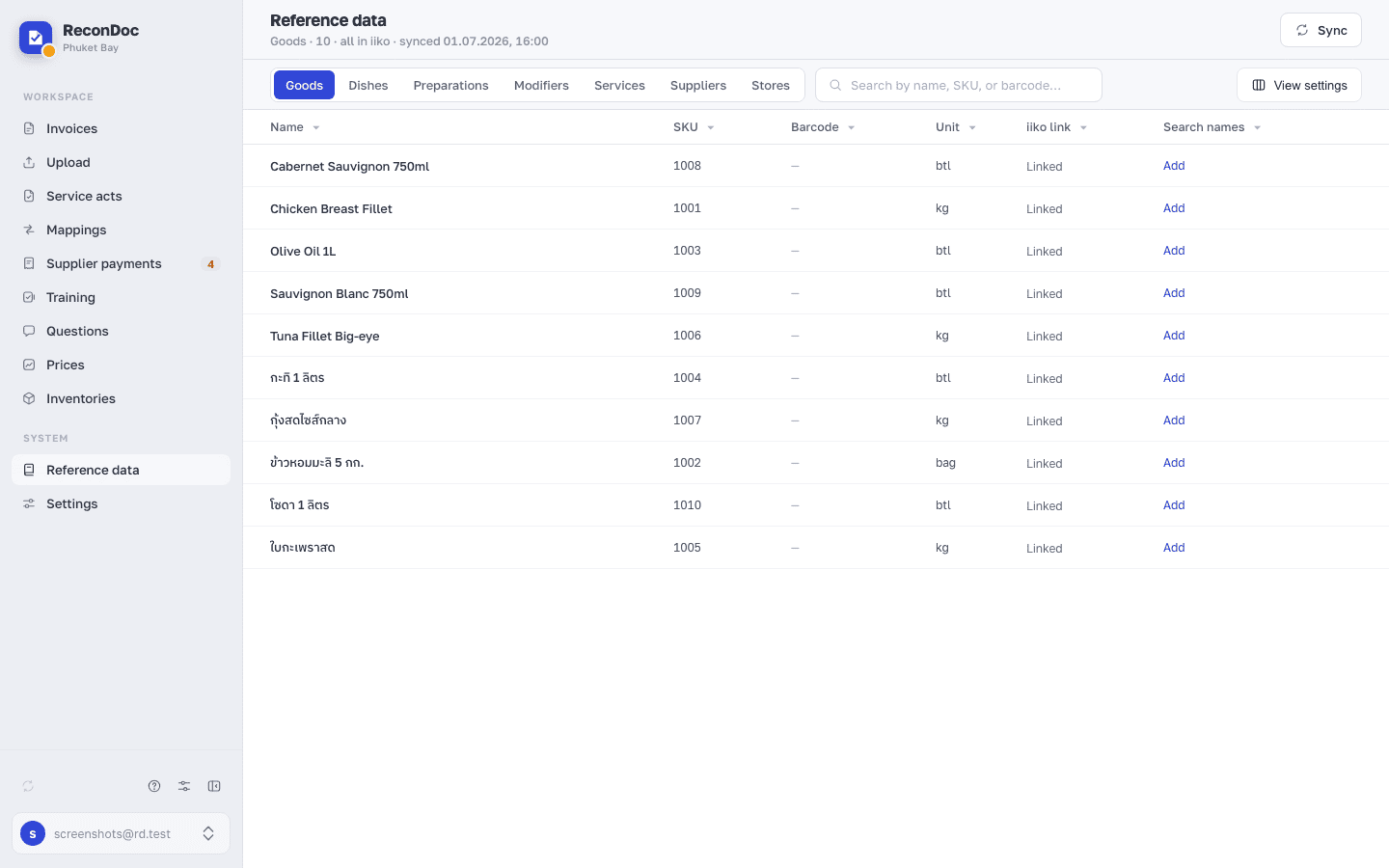
The Reference data screen: the catalogue tabs, the time of the last sync with iiko, search and the product table.
about 3 minUpdated September 15, 2026
Reference data opens from the side menu and shows what has been synced from your iiko / Syrve: goods, dishes, preparations, modifiers, suppliers and stores — each on its own tab. ReconDoc has no catalogue of its own: everything you see here arrives by sync, it isn't typed in by hand.
The screen#
 12345
- synced — the date and time of the last catalogue sync; the line is added to the section's subheading and is only visible once a sync has run at least once.
- Sync — starts a sync: the service reads the goods, dishes, preparations, modifiers, suppliers and stores from iiko again. While the exchange is running the button reads Syncing… and can't be pressed again.
- Goods, Dishes, Preparations, Modifiers, Services, Suppliers, Stores — the section's tabs; each opens its own part of the catalogue as a separate list. Some restaurants have more tabs — that's turned on by a restaurant setting, and you may not have them.
- Search by name, SKU, or barcode… — searches inside the open tab across all of those fields at once.
- The table — the catalogue's products: name, SKU, barcode, unit of measure. The iiko link column shows Linked — the product exists in iiko — or Local — the product was created here only and isn't confirmed in iiko yet. Then come the Search names: the other words the service will recognize this product by on invoices in other languages. Some restaurants also have a VAT % column — the rate comes from the product's tax category in iiko.
A sync only reads#
The Sync button updates what you see in the reference data, but not the other way round: it creates and changes nothing in iiko — not a product, not a supplier, not a store. If the item you need isn't in the catalogue, it's created in iiko first, and then you press sync so it shows up here too.
Done. Where next?#
If the product, supplier or store you need still isn't there after a sync, it was almost always created in iiko after the last update; what gets pulled into the reference data and when to repeat the sync is in Reference data from iiko. If, on the other hand, you sent an invoice and can't see the document in iiko — that's a different cause, covered in Sent it, but there's no document in iiko.
What you do here
What's next
Didn't find the answer, or the guide didn't help?
Ask support