Reference data from iiko: what syncs, and when to redo it
Where products, suppliers, and stores come from, and what to do when something new shows up in iiko.
Where it is: Reference data →
about 3 minUpdated September 15, 2026
Everything the service matches invoice lines against comes from your iiko. ReconDoc has no catalog of its own and never will — your directory is the single source of truth.
What gets pulled in#
| Reference data | What it's for |
|---|---|
| Products and dishes | To fill in invoice lines |
| Product containers | So a case from the invoice turns into the right number of bottles |
| Suppliers | An invoice links to a supplier from your directory |
| Stores | Where to post the delivery |
| Tax categories | So the VAT rate comes from the product's card |
When to sync#
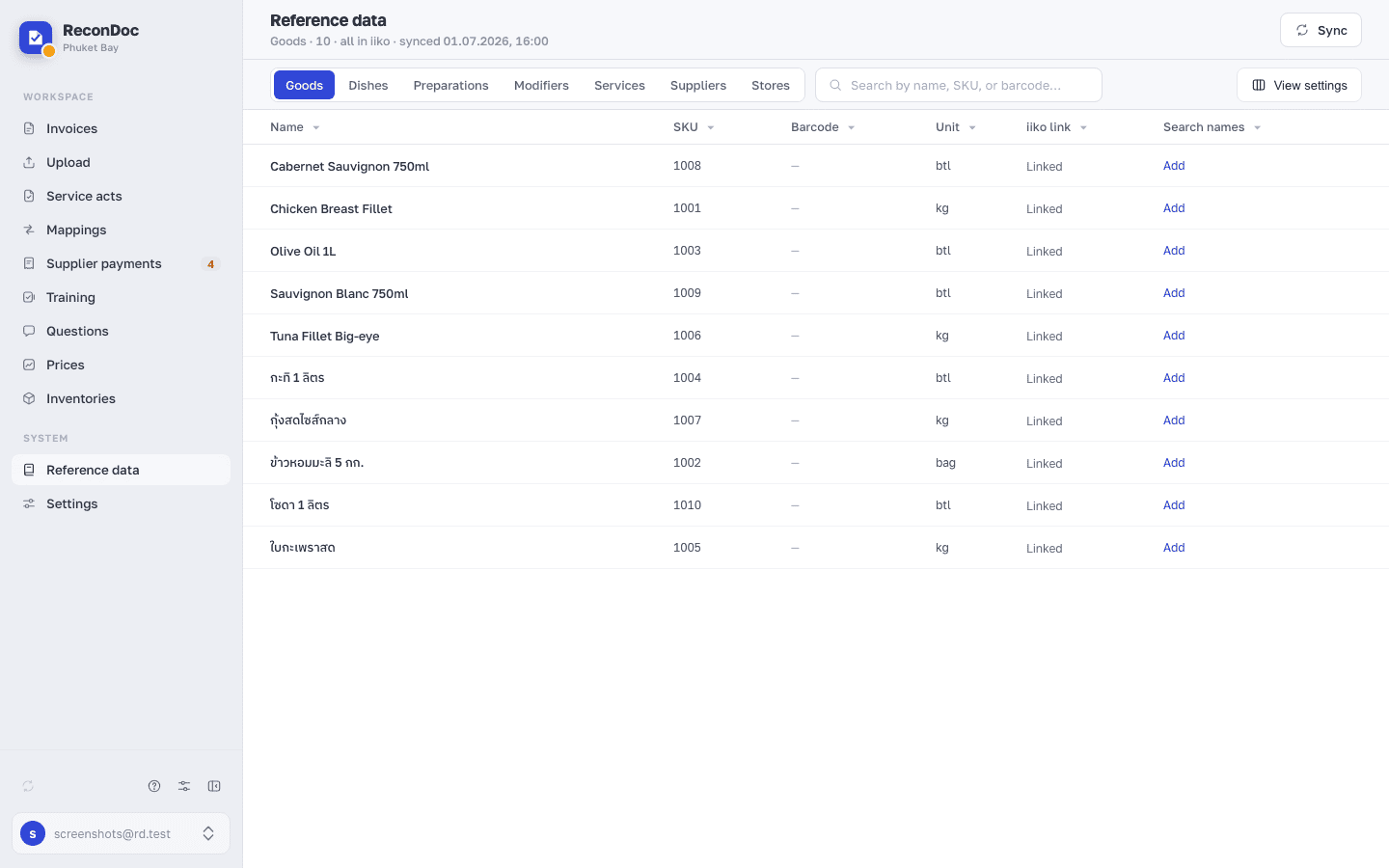
The service refreshes reference data on its own roughly every 4 hours. You need to do it by hand in two cases:
- a new product or supplier just showed up in iiko and you need it right now;
- you've just connected — the first sync is manual.
The Sync button sits right on the Reference data screen, next to the time of the last update. The same sync runs from the arrows icon in the bottom row of the left menu — from any screen, including an open invoice. The line above the tabs also shows how many items are loaded.
Tip
If a product is missing from the list while you're linking a line, it's almost never a search problem — usually the item was added in iiko after the last sync. Click sync and try again.
What doesn't get created automatically#
Careful
The service never adds anything to your iiko besides incoming invoices. Not products, not suppliers, not containers. If an item is missing from the catalog, you create it in iiko first, then sync the reference data.
That's deliberate: the catalog is yours, and someone else's service shouldn't clutter it.
Done. What's next?#
The connection's there, the reference data is loaded. Next: a first invoice from start to finish.
What's next
Didn't find the answer, or the guide didn't help?
Ask support