What ReconDoc is, and why the first invoice takes longer than the rest
How the service works, what it takes off your plate, and what to expect on day one.
about 3 minUpdated September 15, 2026
Every day a restaurant receives invoices from many different suppliers. Entering them into the accounting system on time is one of the key tasks: without it there are no accurate stock levels and no correct cost of goods.
Yet in the daily rush invoices get lost. Some never reach accounting at all, some are entered after the fact, and some carry manual typing errors. All of that distorts the numbers you rely on.
ReconDoc is here to reduce the number of errors in working with primary documents. It does three things:
- Keeps your invoices in one place. Photos of all your documents are stored together, and you can see which ones are already in the accounting system and which are not yet.
- Recognizes invoices automatically — manual line entry disappears.
- Tracks purchase prices and signals when a price has moved noticeably away from the last delivery.
You photograph the document, the service reads it, fills in your products from the iiko / Syrve catalog, and sends a finished incoming invoice. Every uploaded invoice sits in one list, and the status tells you what has already gone to the accounting system and what is still waiting to be checked.
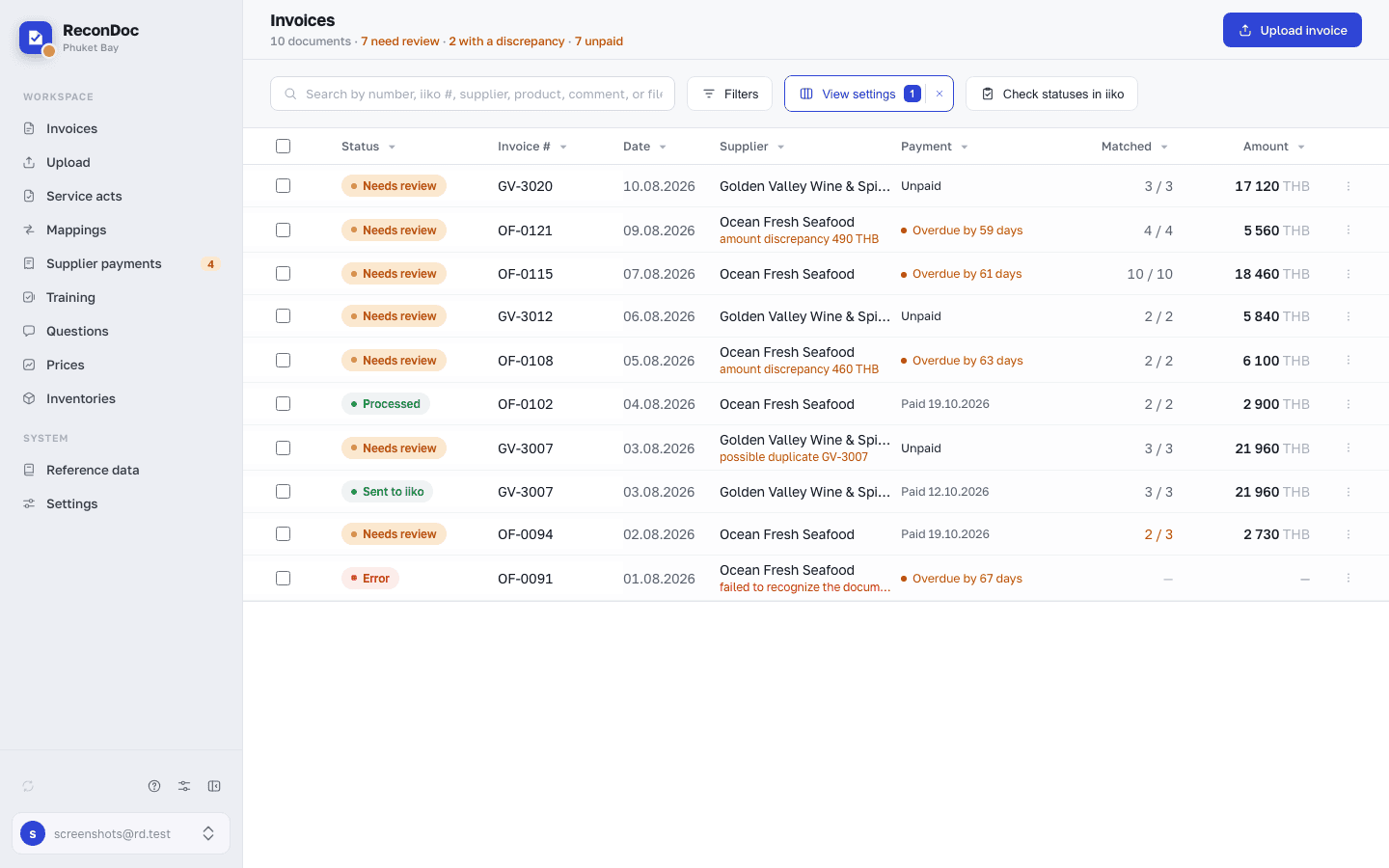
What happens to your photo#
- You upload a photo or a PDF — from the browser, from your phone, or straight from Telegram.
- The service reads the document. It recognizes the number, date, supplier, and lines with quantity and price. Takes twenty seconds to a minute.
- The supplier's lines get linked to your iiko products. "Milk 3.2% 1L Domik brand" from the supplier and "Drinking milk 1 L" in your catalog are the same item, and the service has to learn that.
- You check it and send it. The document appears in iiko as an incoming invoice.
Why the first invoice takes longer than the tenth#
This is the main thing to understand before you start.
The first time, the service doesn't know any of your mappings yet. You'll have to link every line to a product by hand — on a thirty-line document, that takes about twenty minutes. It'll feel like "I could've just typed this into iiko myself, faster." That feeling is fair.
But every mapping gets remembered. On the second invoice from the same supplier, the lines fill themselves in — you just skim and send. That's two or three minutes instead of twenty.
Important
Mappings live inside the pair "your restaurant + this supplier." Makro's products won't fill in on a Villa Market invoice, even if the item has the same name — different suppliers name the same milk differently, and mixing them up isn't safe.
What you do once
- Connect iiko and sync the reference data
- Choose your currency and VAT settings
- Link each supplier's products, as their invoices come in
What you do every day
- Photograph an invoice
- Check what got recognized correctly
- Click Send to iiko
How to speed up the training#
If you wait for mappings to build up on their own, it takes a few weeks. There's a faster way: take an invoice you've already entered in iiko by hand, upload its photo, and give the document number. The service matches the recognized lines against the finished document's items and creates all the mappings at once. A hundred items in ten minutes instead of three weeks.
Tip
Start with your busiest supplier. One well-trained supplier saves more time than five barely started ones.
What ReconDoc doesn't do#
- It doesn't add products to your catalog. The catalog is pulled from iiko and only ever read. If an item isn't in iiko, you need to create it there first.
- It doesn't create suppliers. Those also come from the iiko directory.
- It doesn't post documents without your say-so. By default, an invoice is created unposted, and posting it is always your explicit choice.
Done. What's next?#
Next is connecting to iiko. It's the only step where you might need information from whoever administers your iiko server, so start there.
What's next
Didn't find the answer, or the guide didn't help?
Ask support