Ways to upload: file, phone, Telegram
Three paths an invoice can take into the service, and when each one is more convenient.
Where it is: Upload →
about 3 minUpdated October 14, 2026
From the browser#
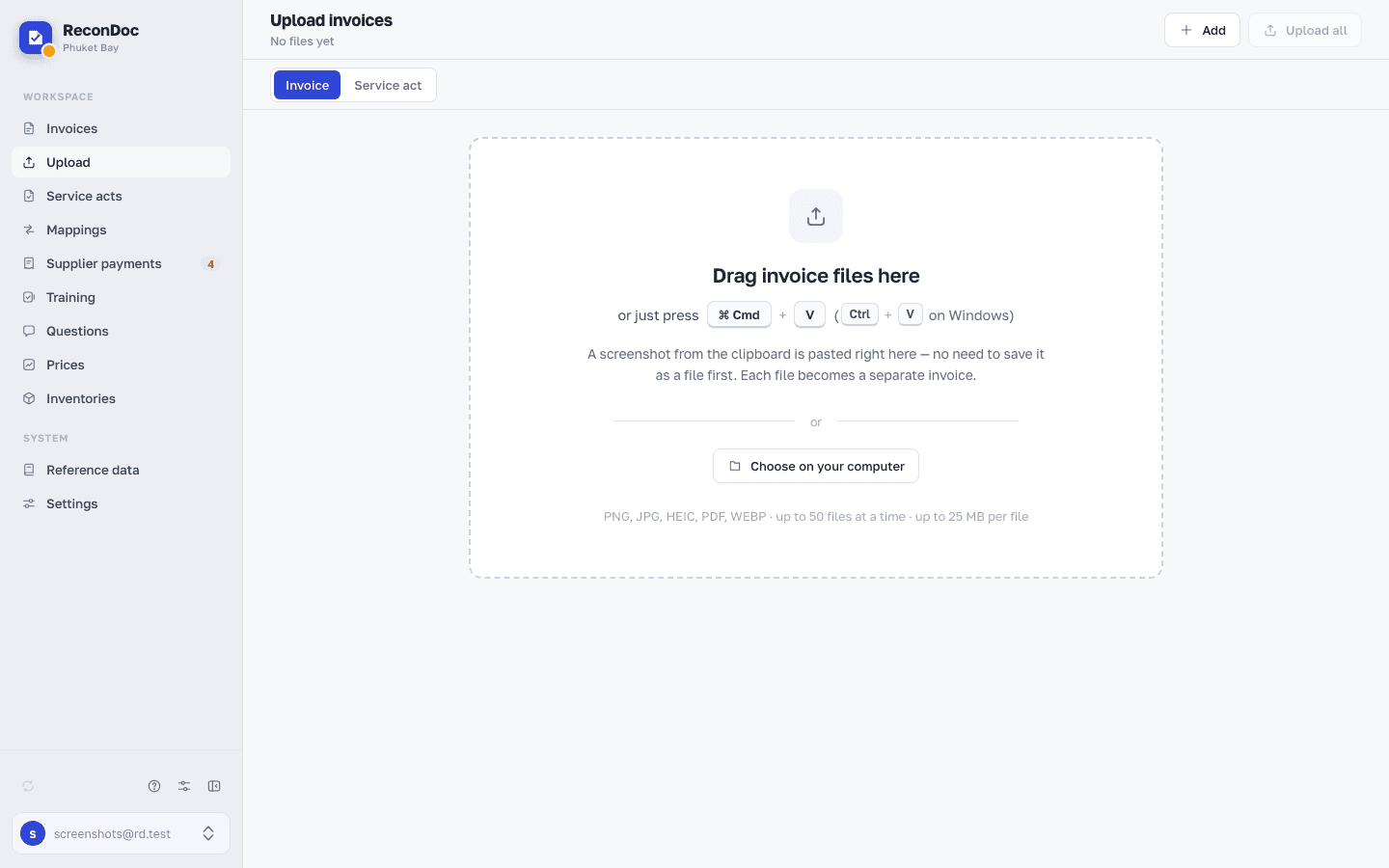
The main path. The Upload section: drag files in or pick them, and set the supplier and store right away if you want to.
If the invoice has several pages, select all the files at once — the service assembles them into one document. You can reorder the pages afterward by dragging.
Several shots of one invoice#
If the pages of one invoice arrived as separate files or photos, you get several invoices, and recognition sees several separate documents instead of one multi-page one. Put them back together:
- In Invoices, tick them.
- On the bar above the list, click Merge.
- In the window, drag the rows by the handle on the left so that the page with the header comes first: it has the number, date and supplier. Click Merge.
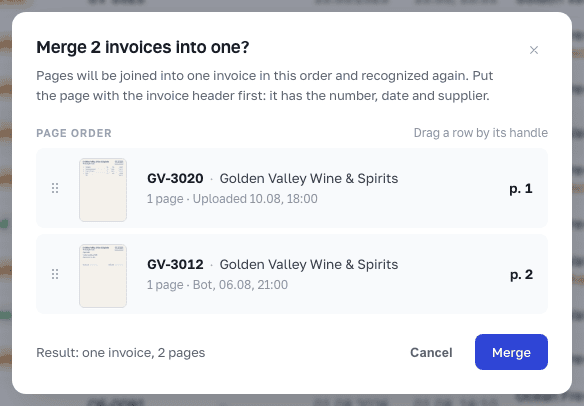
The pages are joined into one invoice in this order and recognized again. If one of the invoices was already sent to iiko / Syrve, they are merged into that one — see Looks like a duplicate.
From your phone#
Open the service in a mobile browser and upload straight from the camera. There's no separate app, and you don't need one — the upload screen is built for a phone.
Through Telegram#
The fastest way for whoever receives goods. The storekeeper photographs the invoice and sends it to the bot — the document shows up in the service on its own.
| Bot | What it asks | Who it suits |
|---|---|---|
| The service's shared bot | Which restaurant | If you run more than one place |
| Your own bot | Which store | If there's one restaurant but several stores |
Tip
Photos do not have to be forwarded to the bot personally: a working Telegram group can be linked to a restaurant, and invoices from that chat reach the service on their own.
Tip
The bot takes a batch of photos in one go: send all the photos one after another, it waits a few seconds and asks its question once, not once per photo. Each photo still becomes a separate invoice. If a document was shot in several frames, merge them in Invoices, as described above.
Important
Your own bot is set up in settings and available from Standard up. The shared bot works on any plan.
Done. What's next?#
The invoice is uploaded and recognized — next, the most important part: what to check, and in what order.
What's next
Didn't find the answer, or the guide didn't help?
Ask support