Looks like a duplicate
One invoice ended up in the service twice, or looks like another one. How to tell, and what to keep.
Where it is: The invoice list →
about 3 minUpdated October 14, 2026
The service flags similar invoices on its own: same supplier, close date, matching amount, or a matching tail of the document number.
Where duplicates come from#
- Two people photographed the same invoice: a warehouse worker in the bot, an accountant in the browser.
- Pages of one invoice got uploaded separately, and each became its own document.
- Someone sent it again "just in case."
Check in order#
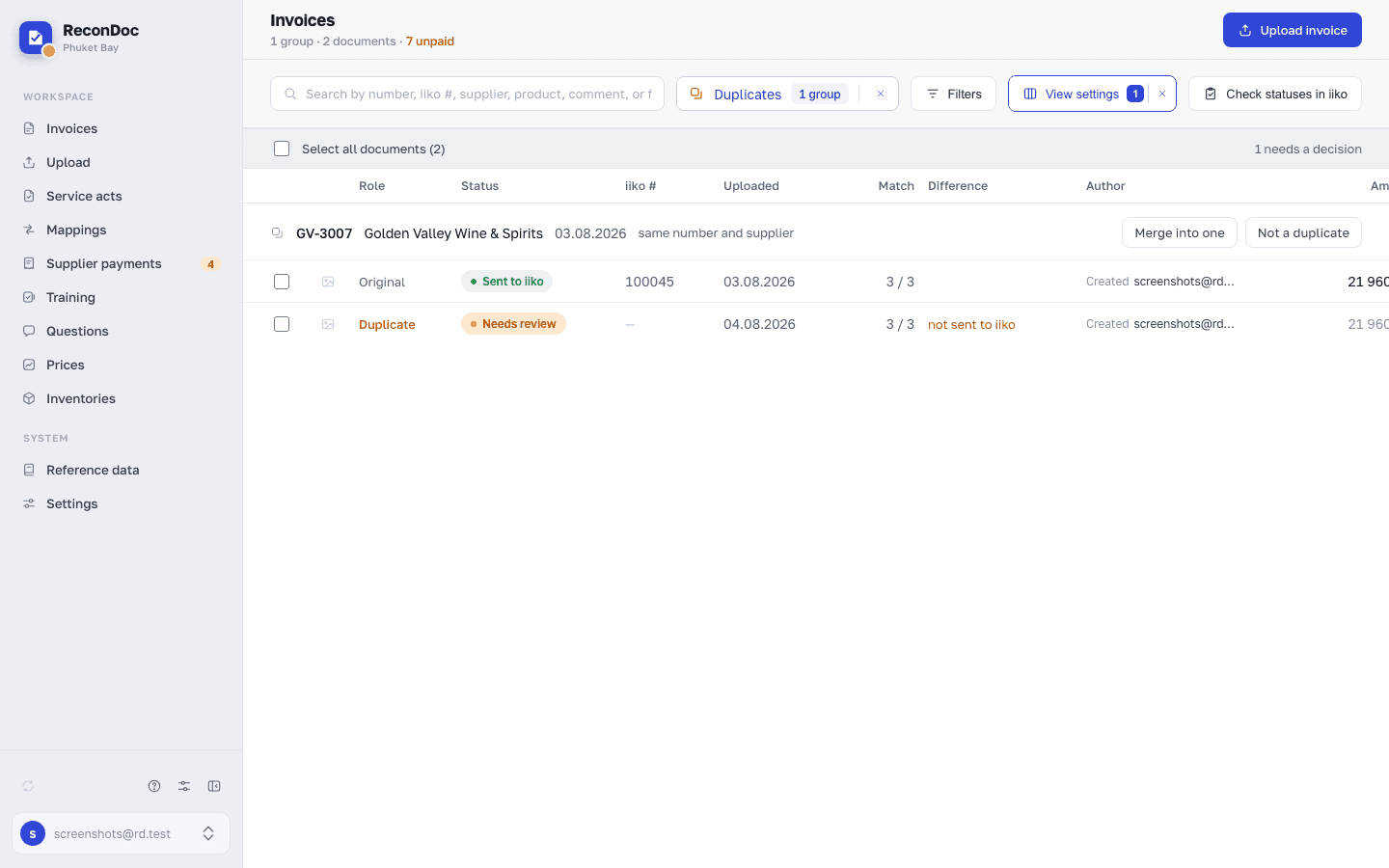
- Open duplicates view in the invoice list — similar invoices are grouped together.
- Compare the document number and amount. A full match is almost certainly a duplicate.
- Check whether these are pages of the same document. If two invoices have a different set of lines and their amounts add up to the total on paper, that's not a duplicate — it's a document that got split apart.
How to fix it#
A real duplicate — delete the extra invoice. If both were already sent, the extra document needs to be deleted in iiko too, in BackOffice.
A split document — select both invoices in the list and merge them. The pages come together into one document, which then needs to be recognized again. How to put the pages in the right order is covered in Ways to upload.
A false alarm — mark it Not a duplicate. The service stops grouping them, and the hint won't come back.
To keep it from happening again#
Agree on who photographs invoices. The most common cause of duplicates is two conscientious people, each uploading the other's work again "just in case."
Didn't help?#
Contact support with both invoice numbers.
What's next
Didn't find the answer, or the guide didn't help?
Ask support