iiko won't connect
The connection check fails, or stopped working. Five causes, most common first.
Where it is: Settings: the iiko connection →
about 4 minUpdated October 4, 2026
The connection check comes back with an error, even though the details look right.
Check in order#
- The full server address. It has to end in
/resto. Without that, the server responds, but not with what's needed. - Free iiko licenses. The server counts simultaneous connections. If every slot is taken by staff in BackOffice, you won't get in — even with a completely correct login and password. Ask someone to close BackOffice and try again.
- The user's rights. They need permission to read reference data and create incoming invoices. A user without those rights logs in fine and gets rejected on the first real request.
- The password changed in iiko. It needs to be updated here too — the service doesn't find out on its own.
- The server is reachable from outside. If iiko sits on the restaurant's local network with no external address, the service can't reach it. It needs to be reachable from the internet.
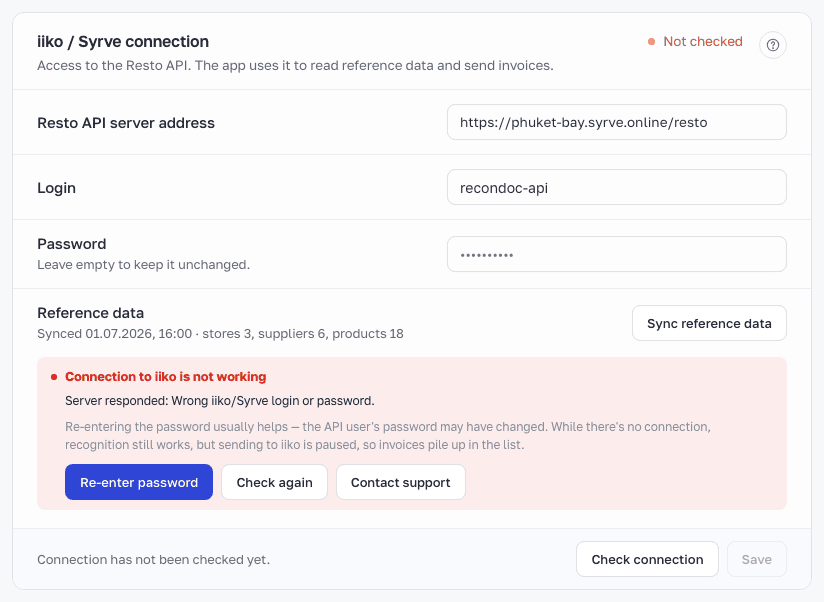
A special case: we erased the password#
If a restaurant was suspended for non-payment for a long time, its iiko password gets erased — that's part of the data retention policy. The login and address stay in place.
The symptom: the fields are filled in, but the connection fails with a message about an empty password. The fix is to enter the password again.
How to fix it#
Open Settings → iiko connection, check the three fields, click the connection check. The service will tell you exactly what's wrong: address, access, or rights.
To keep it from happening again#
Tip
Set up a separate iiko user just for the integration, and don't change its password along with a general password rotation for staff. As a bonus, you'll be able to tell which documents the service created and which a person did.
Didn't help?#
Contact support — attach the server address (without the password) and the error text.
What's next
Didn't find the answer, or the guide didn't help?
Ask support