The MAX bot: invoice photos in the MAX messenger
How to link a personal chat and a working group in MAX, and what the bot sees there.
Where it is: Settings: bots and messengers →
about 3 minUpdated October 4, 2026
Besides Telegram, the ReconDoc bot can accept invoices in the MAX messenger — either personally or from a working group. It works the same way as in Telegram: link with a code, and photos go straight to recognition.
What it is#
The ReconDoc bot in MAX: send it a photo or PDF of an invoice, and the document shows up in the service. You can message the bot personally or add it to a working group.
Personal messages#
- In the service, open Settings → Bots & messengers, the MAX row.
- Press Link.
- You will see a link, «Open the bot in MAX» (if a bot name is set on the platform), and a code to send the bot in MAX. Either one works.
Once linked, just send the bot a photo or PDF of an invoice in a private chat. If you run more than one restaurant, a few seconds later the bot asks which one to put the invoice in — same as in Telegram.
Group#
Only the restaurant owner can link a working group in MAX, and the platform needs to have group linking turned on.
- Open the Groups card and pick MAX.
- Press Get a code for the group.
- Then three steps:
- add the ReconDoc bot to the MAX group;
- make it a group administrator — without admin rights MAX does not show the bot the group's messages;
- send the command
/link CODEin the group.
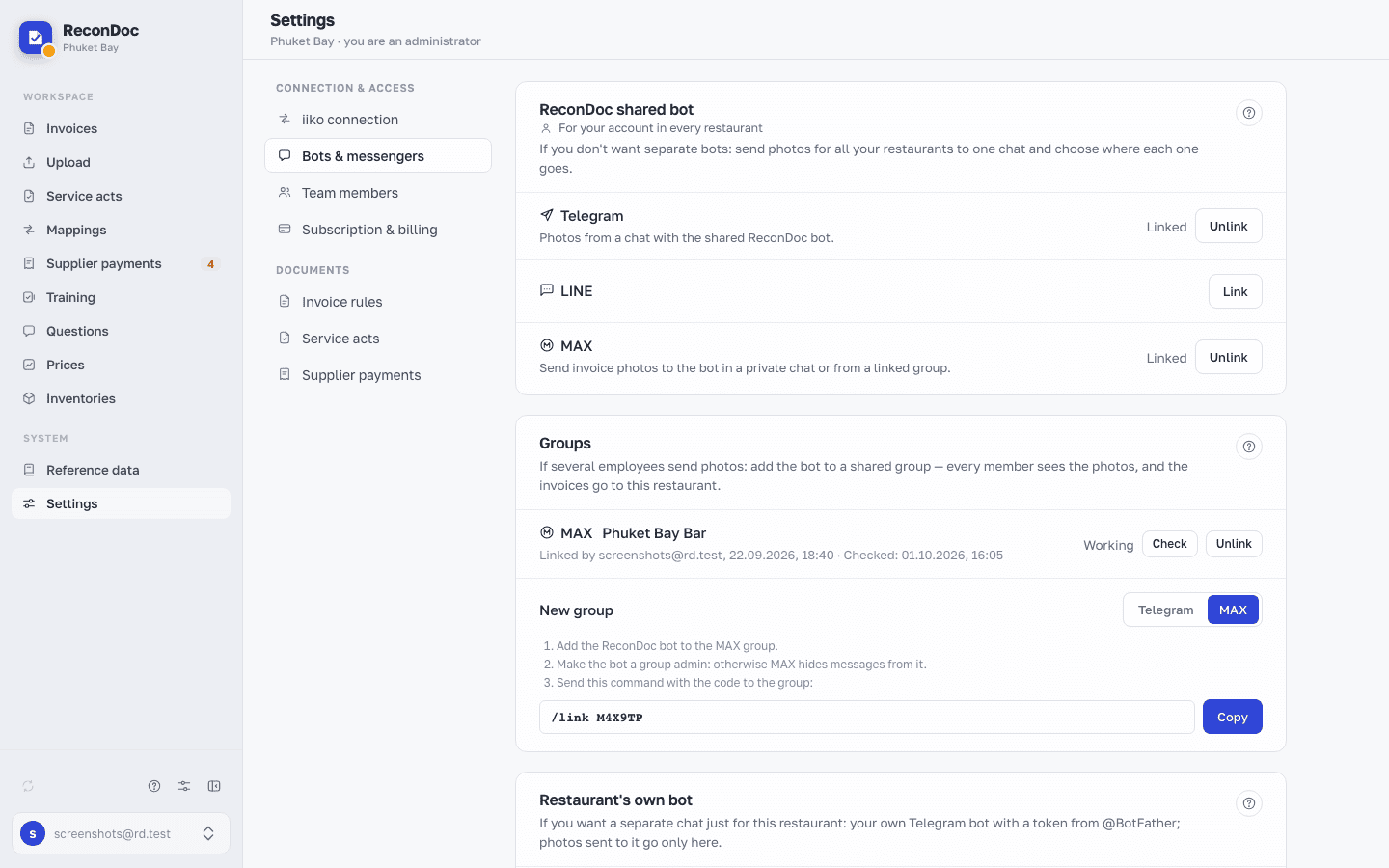
MAX has no separate link for adding a bot to a group, like Telegram does — only the code.
In a group the bot only accepts photos and PDFs. It does not read ordinary messages and does not reply to chatter.
In the bindings table, a group has Check (re-checks admin rights and updates the «Checked: …» mark) and Unlink buttons.
If the rights are taken away#
If the bot loses admin rights, the group row shows a warning. Grant the bot admin rights again and press Check — the «Checked: …» mark will update.
If there is no MAX row#
That means MAX is not connected on the platform, or it is turned off for your restaurant by the platform admin. Write to support.
What's next
Didn't find the answer, or the guide didn't help?
Ask support